
Mia Product Video Length, Resolution and Sound: Specs, Styles and Limits
Before you spend a credit, it helps to know exactly what comes out the other end. Mia AI Product Videos turns the product photos your clothing store already has into short on-model videos, and every video follows the same specs: a fixed length per take, one style, no sound and no watermark. Here is what each video looks like, what you can and cannot change, and what Mia does not do, so nothing surprises you after generation.
Don't have Mia AI Product Videos yet? Install it from the Shopify App Store →
1 Length: 6–10 seconds per take, fixed
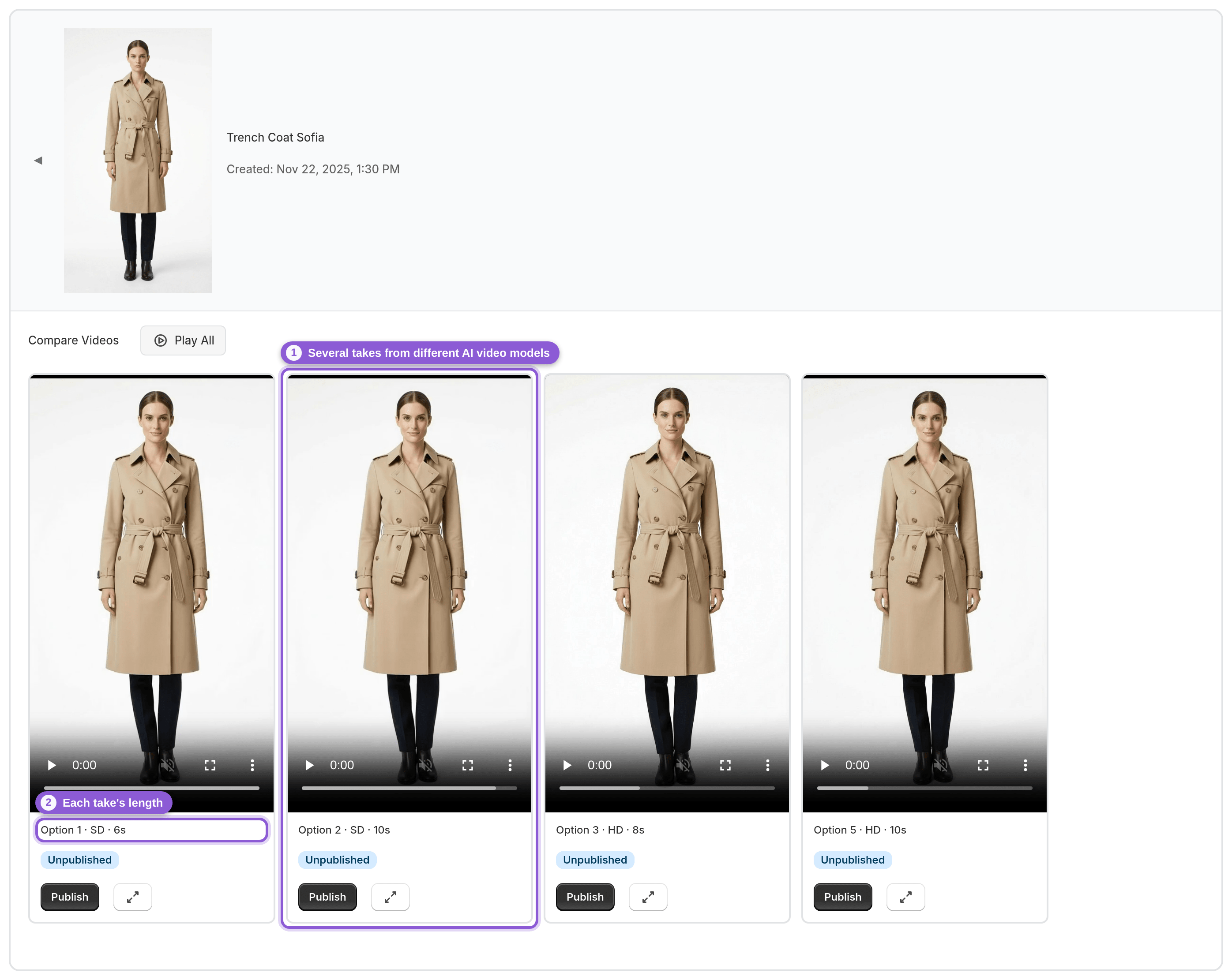
Each generation makes several takes from different AI video models, and each take runs 6–10 seconds. The duration is fixed per take, so takes in the same set can differ slightly in length.
You cannot choose a video length, and you cannot pick which AI model makes a given take. If you want a different feel, compare the takes in the set and pick the one you like best.
2 Resolution and format: up to 1080p, vertical 9:16
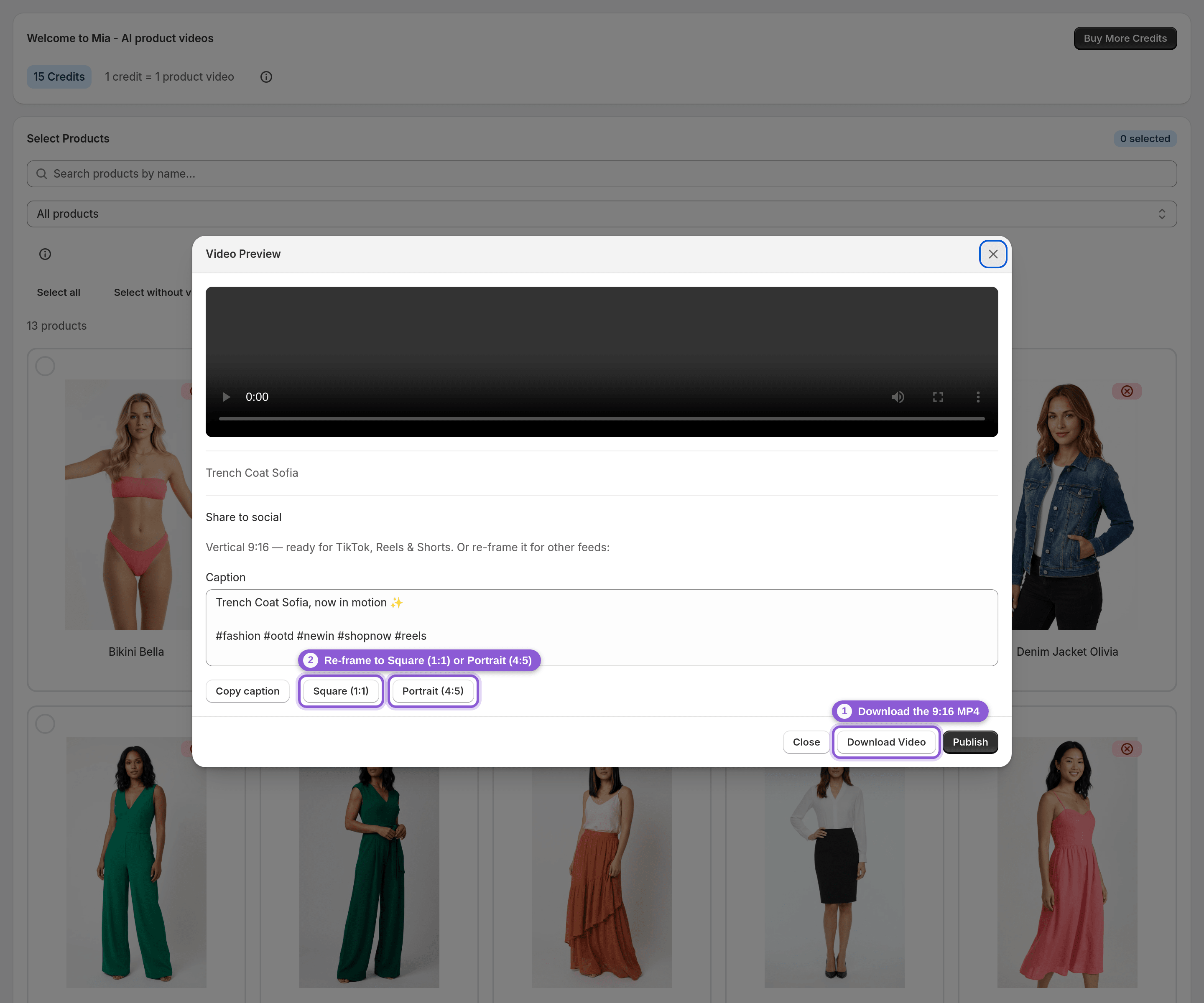
Takes are rendered at up to 1080p and download as an MP4 in vertical 9:16, the native format for TikTok, Reels and Shorts.
For feeds that are not vertical, you can re-frame the same clip in one click to Square 1:1 or Portrait 4:5. You do not need to crop anything yourself.
3 Sound: the videos are silent
Mia videos have no audio:
• No music
• No voice-over
• No text overlays
If you want a soundtrack or captions on screen for a social post, add them in your own editing or posting tool after you download the MP4.
4 Watermark: none
Videos have no watermark. Nothing is added to the clip, whether you publish it to your product page or download it for social media.
5 Style: one style, Model showcase
There is one video style, Model showcase: the model moves and shows the clothing. Each take uses a different movement, for example a walk-in, a half turn or an over-the-shoulder look, which is why comparing takes matters.
Mia does not offer 360° spins, zoom effects, lifestyle scenes or style switching. Older marketing copy mentioned some of these; they are not part of the app.
6 Who wears it, and which clothing works
Mia is built for clothing and fashion. If your product photos show a person, Mia uses your own model. Otherwise it uses an adult male model for menswear and an adult female model for everything else.
Mia refuses kids' and baby clothing, so those products will not generate a video.
7 Social posting: export and caption only
Mia does not post to TikTok, Instagram, Meta or YouTube, and it has no social platform integrations. What it gives you is everything you need to post yourself:
• Download the MP4 in 9:16
• Re-frame to Square 1:1 or Portrait 4:5
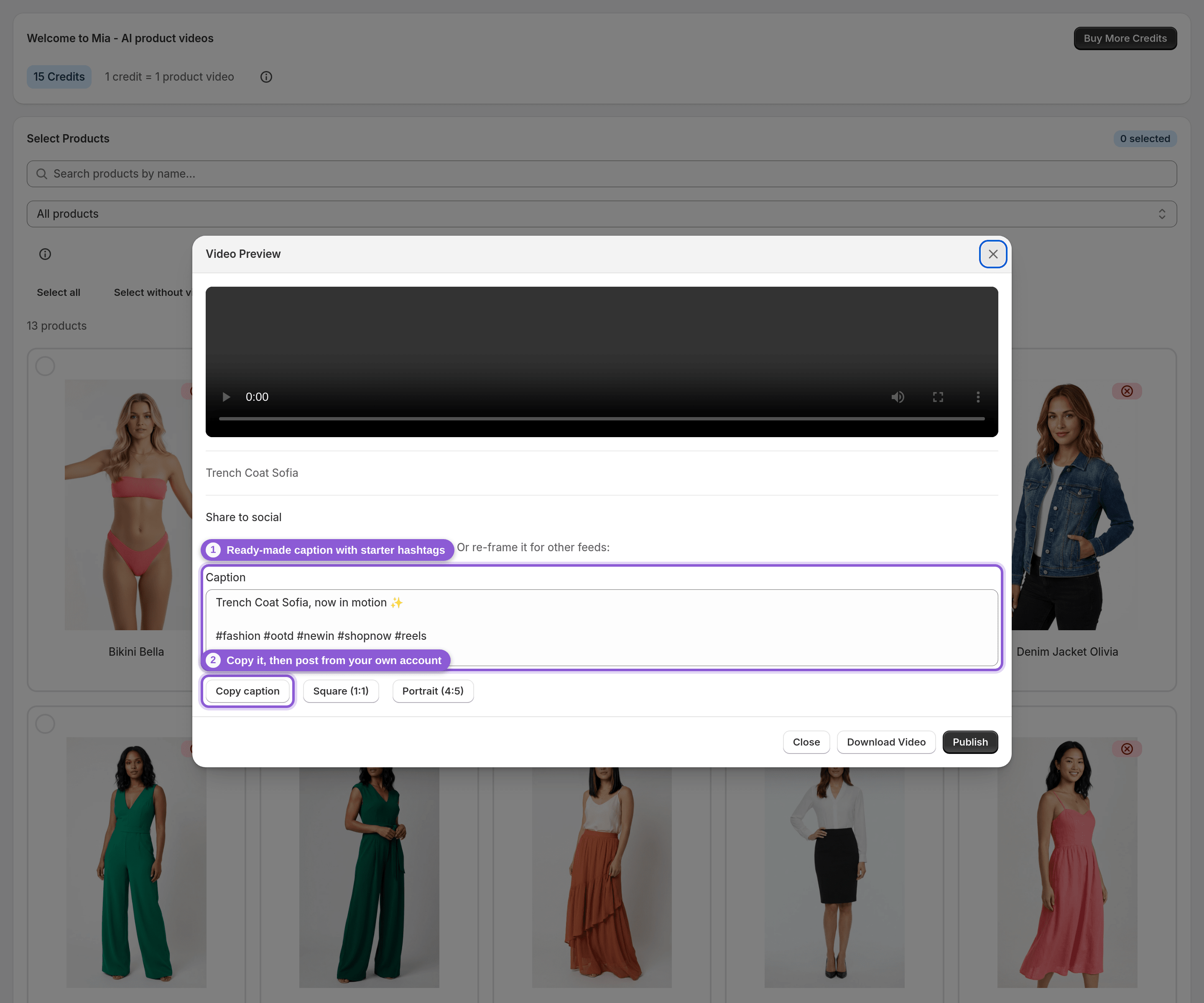
• A ready-made caption (product name plus starter hashtags) with a Copy button
The Share to social panel in the video preview holds the caption and re-frame options. Upload the file to each platform from your own account.
8 On your store and in the dashboard
Published videos are added to the Shopify product page as native product media, in the first media position, and play in your theme's own product-media player. Mia has no storefront widget, video player, autoplay control or shoppable video, so playback behaviour is decided by your theme.
Generation runs in the background, so it is not instant; you can keep working while the queue runs. The Mia dashboard is in English.
Frequently asked questions
How long are Mia product videos?
Each take is 6–10 seconds. The length is fixed per take and you cannot choose it. One generation gives you several takes to compare, and you pick the one to publish or download.
Do Mia videos have sound or music?
No. The videos are silent: no music, no voice-over and no text overlays. Add sound in your own editing or posting tool if you want it for social media.
Can I choose a 360° spin, zoom or lifestyle style?
No. Mia has one style, Model showcase, where the model moves and shows the clothing. Each take uses a different movement, such as a walk-in, a half turn or an over-the-shoulder look. There are no 360° spins, zoom effects, lifestyle scenes or style switching.
Does Mia post videos to TikTok or Instagram for me?
No. Mia has no TikTok, Instagram, Meta or YouTube integration. You download the MP4 (vertical 9:16, or re-framed to 1:1 or 4:5), copy the ready-made caption and post it yourself.
Do the videos have a watermark?
No. Mia does not add a watermark anywhere, whether you publish the video to your product page or download it.
What resolution and file format are the videos?
Takes are up to 1080p and download as an MP4 in vertical 9:16. You can re-frame the same clip to Square 1:1 or Portrait 4:5 in one click.