Mia Video Not Generating for Kids' Clothing? Which Products Work with Mia
Mia AI Product Videos is built for one job: turning the product photos of a clothing store into short on-model videos. That focus explains most of the cases where a video does not appear. Mia refuses kids' and baby clothing, it is made for clothing and fashion stores rather than other product types, and it chooses the model in the video for you.
Here is what Mia supports, what it refuses, and how it decides who wears your garment, so you can plan which products to select before you spend credits.
Don't have Mia AI Product Videos yet? Install it from the Shopify App Store →
1 Check that the product is adult clothing
Mia is made for clothing and fashion stores. It works from the product photos your store already has: it first builds a clean studio frame of a model wearing the garment, then animates it into a short video.
Because every video shows the garment worn by a model, Mia is designed for clothing. If your catalog also carries other product types, those are outside what Mia is built for.
2 Know that kids' and baby clothing is refused
Mia checks the product photos and refuses kids' and baby clothing. This is deliberate behaviour, not an error in your store or your photos, and there is no setting that turns it off.
If a video is not generating for a children's item, this is the reason. When you start generating, Mia shows the message "Mia doesn't make videos for kids' clothing" with the product names, and those products are not added to the Generation Queue / History. Retrying will not change this.
3 Leave kids' items out of bulk jobs
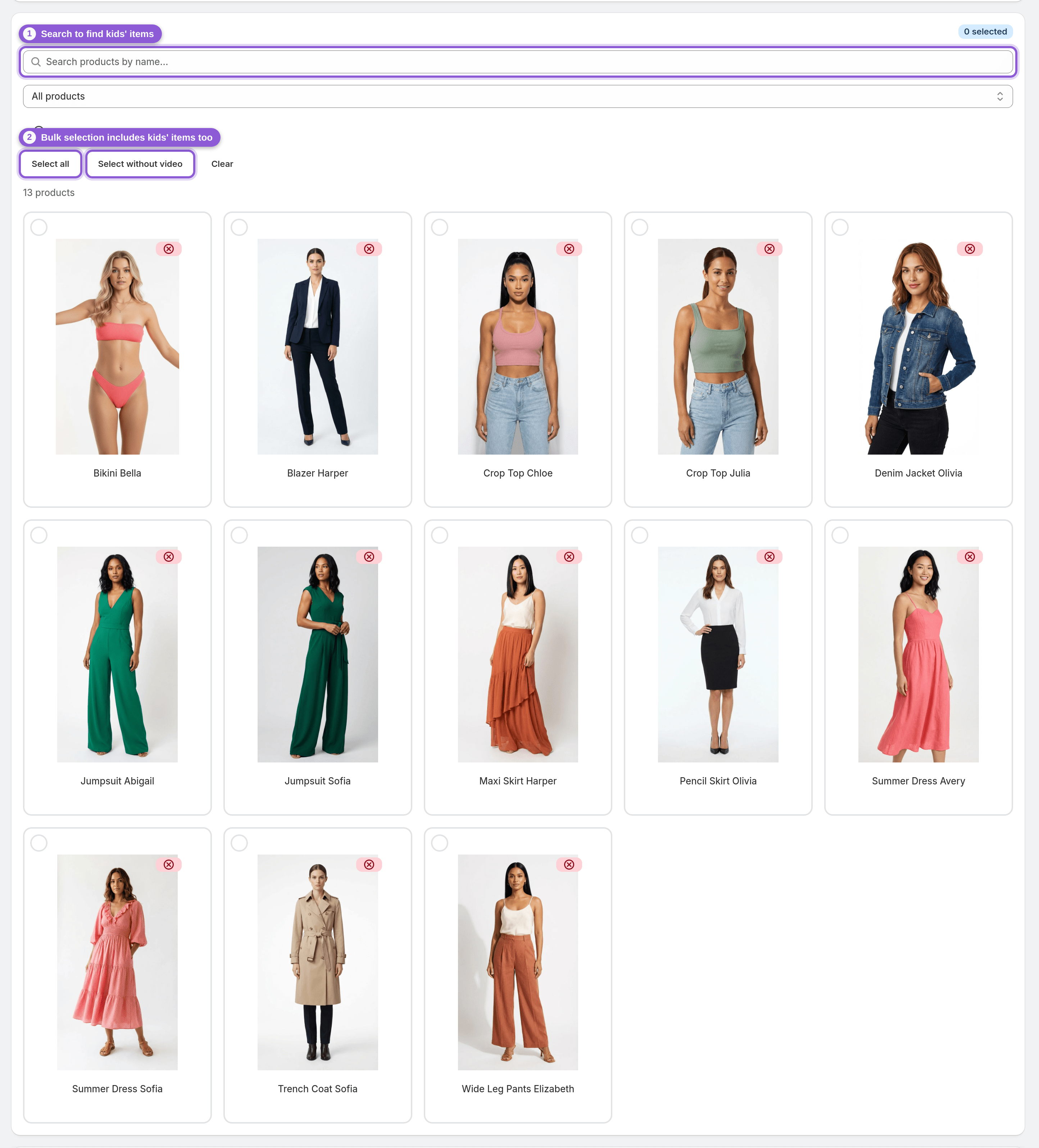
When you generate in bulk with Select all or Select without video, any kids' or baby products in the grid are included too. Refused products don't use a credit, but the simplest approach is to deselect those products before you start.
Use the search box to find them quickly, then check the credit cost shown before you generate so it matches the adult products you actually want videos for.
4 Understand how Mia picks the model
You do not choose the model; Mia decides automatically from your photos:
• Your photos show a person: Mia uses your own model.
• No person in the photos, menswear: an adult male model.
• No person in the photos, anything else: an adult female model.
So flat-lay or mannequin-free product shots still work. Mia supplies the model; if you want your own model in the video, make sure your product photos show them wearing the garment.
5 Know what the video will look like
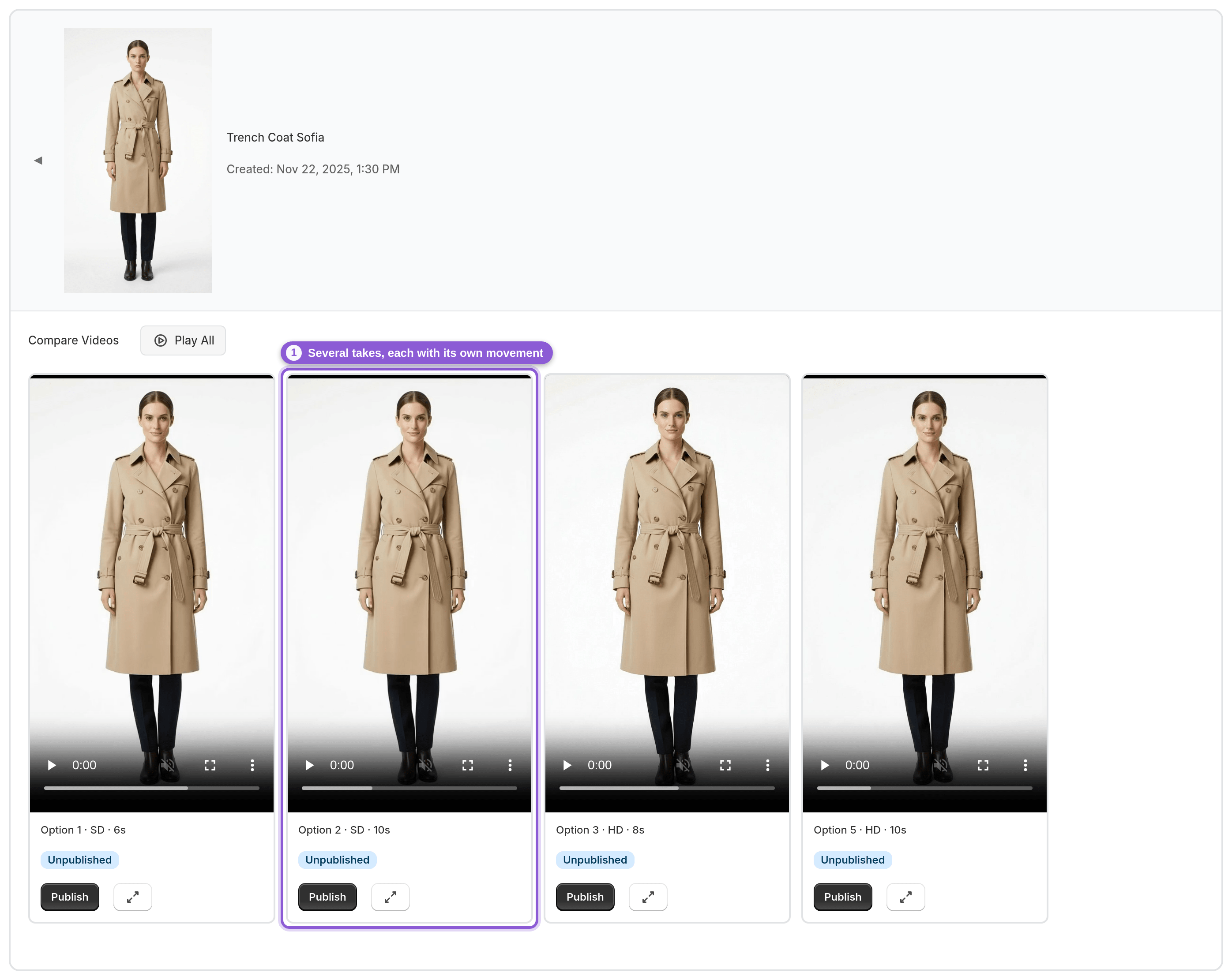
Every product gets the same style, Model showcase: the model moves and shows the clothing, with a different movement in each take (for example a walk-in, a half turn or an over-the-shoulder look). One generation makes several takes from different AI video models, 6–10 seconds each, up to 1080p.
Videos are silent, with no music, voice-over or text overlays, and there are no other styles such as 360° spins, zooms or lifestyle scenes.
6 Retry a supported garment that fails
If a take fails on an adult clothing product, retrying that take costs no credit. If no take in the set passes Mia's AI quality check, the whole set can be regenerated once for free, and if every take fails, the credit is refunded automatically.
These retries are for supported products. They will not get a video made for kids' or baby clothing, which Mia refuses every time.

Frequently asked questions
Why is Mia not generating a video for my kids' clothing?
Mia refuses kids' and baby clothing by design. It checks the product photos and will not make a video for children's items, and there is no setting to change this. Adult clothing is what Mia is built for.
Can I choose the model or the model's gender?
No. Mia picks automatically: it uses your own model when your product photos show a person, otherwise an adult male model for menswear and an adult female model for everything else.
Do my product photos need to show a model?
No. Mia builds a studio frame of a model wearing the garment from the photos you already have, so photos without a person work too. If a person is in your photos, Mia uses them as the model.
Does Mia work for products that aren't clothing?
Mia is built for clothing and fashion stores only. Every video shows the item worn by a model, so it is designed around garments rather than other product types.
How can I test Mia on my products before buying credits?
New stores get 5 welcome credits, and 1 credit makes one product video (a set of several takes). Use them on a few adult clothing products to see the results before buying a one-time credit pack.
Will Mia change my product photos or listings?
No. Mia does not change product titles, descriptions, prices or images. Publishing only adds the video to the product's media, and unpublishing removes it.